Promotion


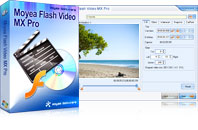
Flash Video MX Pro
Moyea Flash Video MX Pro, with the main function of video to Flash, SWF conversion, supports H.264, Flash 8 alpha video, F4V video encoding, CuePoint and basic video editing! It provides also vivid video effects, a preloader, and a Flash Player,etc
$99.95


Flash Video MX Pro is to convert video to swf and flv.
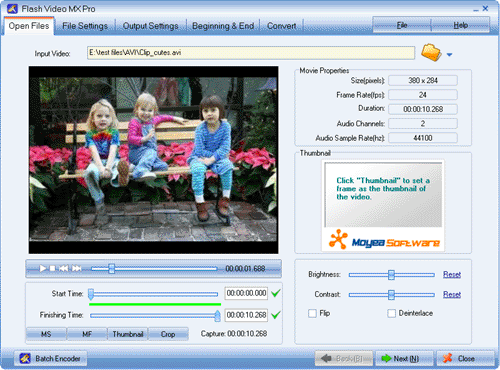
Step1. Launch the program and input the video, and click “Next”.
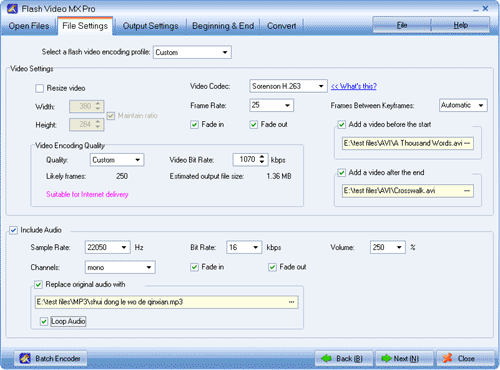
Step2.Set the video parameters or keep the default. Click “Next”.
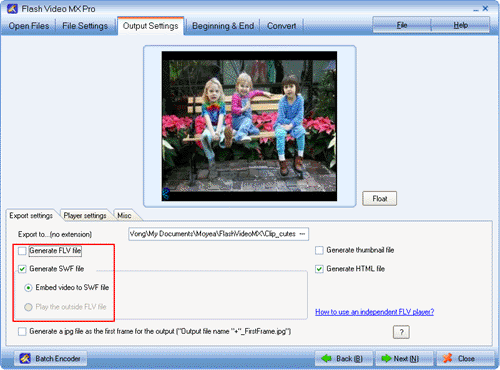
Step3. Check “Generate FLV file” or “Generate SWF file” to output Flash video or Flash. Click “Next” to start the conversion, and done!
Tips
- How to Convert FLV to MP4 for Playback on iPod?
- Cut FLV into Small Pieces
- How to Convert MKV to iPad *.mp4 for Enjoyment?
- How to enjoy FLV files on any Windows PC?
- Post Flash Video on eBay and Yahoo to Enhance Your Online Auctions
- Convert AVCHD to Samsung Galaxy S for playback with best M2TS/MTS Converter
- YouTube to Droid - Convert YouTube Video to Motorola Droid for Playback
- Extract YouTube Flash Video FLV to mp3 for Creative Zen Neeon 2 MP3 player
- Flash Video Converter - Make Flash SWF, Flash Video file with Flash Video MX Pro
- How to Join FLV for Free?