Promotion


FLV Player
This standalone player is developed for playing FLV files offline, and it supports FLV by H.263, On2 VP6, etc. By double clicking, dragging or dropping, you can enjoy downloaded FLV files with ease. It is 100% free!
- Quick Start
- After you successfully installed the FLV Player on your computer, you can start to use the program as follows:
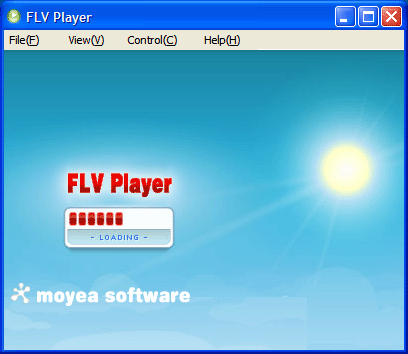
- Import FLV files into the program:
- Select “Open File” in the “File” menu and you will bring up the “Open FLV File” dialog box like this to enable you to import your target FLV files for playback:
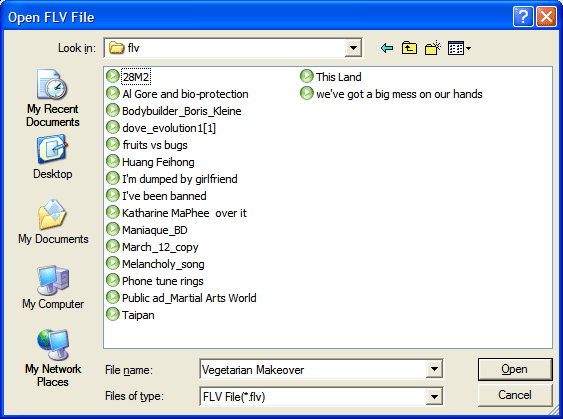
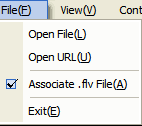
- File: The File menu allows you to import FLV files from the Internet via “Open URL” as well as from your local computer via “Open File”.
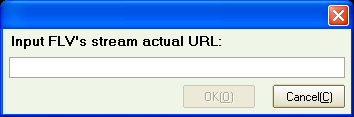
- Select “Open URL” and you will face a pop-up asking you to enter your actual URL to grab the FLV files for playback:
- Check “Associate .flv File” and the program can be optionally associated with .flv files, so you can just double-click them to play
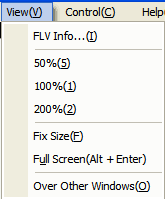
- View: The View menu allows you to resize the player window for good visual effect.
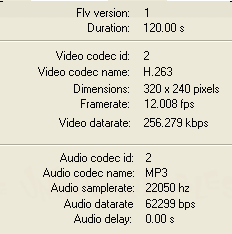
- By selecting the “FLV Info…” in the View menu, you will be able to view the basic information of the FLV file being played back listed small box against a transparent background, including the FLV version, playback duration, IDs and names of the video and audio codecs, and the dimension, etc, like the illustration below:
- By selecting “Over Other Windows”, the FLV Player will always hover over all other windows running on your computer.
- Control: the Control menu reiterates the functions of the Control Bar at the bottom of the window and provides the alternative to manipulates the playback of FLV files with your keyboard.
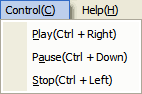
- Help: For support or updating of your existing FLV Player, you can click the Help menu.
Tips
- Metacafe Video Downloader - Free download Flash Video from Metacafe
- How to Convert FLV to MPG?
- How to convert M2TS to AVI on PC?
- How to convert MTS to MPEG?
- Convert YouTube FLV Videos to AVI, MP4 or MPEG
- How to Convert F4V to 3GP for Your 3G Phones?
- How to Convert Youtube Video FLV to MP3 for Playback on i-Mate SPJAS Mobile Phone?
- Convert Flash Video FLV from YouTube to AVI for Coby PMP 3520
- FLV to PSP - Enjoy Flash Video FLV from YouTube and Google Video on your PSP
- How to Create FLV and Convert FLV?
Ready to Try ?
Download FLV Player Now
(Size: 2.75MB)