Promotion




- Convert DVD & video to Flash (SWF) and Flash video (FLV)
- Support all popular video formats include FLV format
- Support F4V, H.264, Flash 8 and Flash 8 alpha video encoding
- Ready HTML file for web design
- Time-saving batch conversion
- Wide-range parameter settings
- Web FLV Player with many customizable skins
- Vivid preloaders
- Amazing video effects, like invert, flip color and simple laplacian sharpen etc.
- Image and text subtitle for the video
- Precise video trimming, cropping and merging
- Cue Point for Events and Navigation
- Video sequencing and audio replacement
- Random frame in the video for the first frame
Flash Video MX Pro
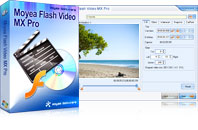
Moyea Flash Video MX Pro is for converting video/FLV to SWF or FLV with the latest H.264 & F4V encode option, together with dynamic video compression and audio settings! With an upgrade, the latest version 6.0 changes the conversion process to increase the convert speed and conversion quality. It also offers you a new feature to help you to make a customize web player for publishing your video to web.
The program enables you to import standard-definition and high-definition video (.mod, .tod, .mts, .m2ts) from digital camcorders, Real Media file (.rm, .rmvb), Windows Media file (.wmv, .wma, .asf), QuickTime video (.mov, .qt, .mp4, .3gp), MPG file, video from DVD and VCD (.vob, .dat). You can create and skin the flash video player to make the video match your web page.
This version is designed for Windows OS. To get the Mac version, please click here.
Version: V6.0
Supported OS: Windows 2000/XP/Vista/Windows 7
Supported OS: Windows 2000/XP/Vista/Windows 7
Key Features
Tips
- How to Create Brilliant Flash Video for Easy and Swift Online Delivery
- Create Flash - Tell you how to generate Flash SWF with Flash Video MX
- How to Play FLV with your browser
- How to Create Brilliant Flash Video for Easy and Swift Online Delivery
- How to Play FLV Video Files Online and Offline
- How to Create Flash Video (FLV) to Enhance Online Auction with eBay and Yahoo
- Video to Flash Encoder - Convert MPEG to Flash with HTML file ready for the web
- How to convert video to Flash (swf) and Flash video (flv)?
- Flash video encoder - Convert video to flash, get a FLV Player embedded HTML file
- How to convert MPG, MPEG, WMV, MP4, MOV video formats to FLV to Share Online
System Requirements
- Windows 2000/XP (Vista Compatible)
- 64MB Memory (128MB recommended)
- 512MB hard disc space or above
- Windows compatible Monitor (800*600 or above resolution)
- Windows compatible mouse and keyboard
- Windows compatible sound blaster
- Microsoft DirectX 9.0 or above
- Quick Time file supported Quick Time 6.0 or above
- Windows Media Player 9.0 or above