 Promotion



YouTube FLV Downloader
This all-in-one downloader is featured by multi-threading and automatic URL parsing, and can record and download FLV from all sites effectively. It is 100% free!
How to get hot YouTube FLV videos online for free? There is not only one method or solution to download YouTube FLV videos. Search for a FERR YouTube FLV Downloader tool on the internet and so many results come out. Among these FREE YouTube FLV Downloader tools, which one should be chosen to meet your need at maximum? We should choose the one with the functions to download, play, manage and convert online YouTube FLV video — an all-in-one free tool. Foxreal YouTube FLV Downloader is just the FLV YouTube video download tool like this. It is totally FREE.
You will be amazed at the elegant interface and simple operating process. Experience the terrific sky gray color UI and its pretty fast online-video download speed. It is just like Apple iTunes! This Free YouTube Video Downloader tool is worth owning to accomplish your requirement. With it you can easily and quickly download FLV/FAV or other videos from YouTube, MySpace, Google, Yahoo, iFilm, ABC, MTV, CBS, Veoh, TBS, NBA, BBC, Metacafe and other video-sharing websites with good quality. You can browse, play, classify, collect hot movies and music for your reference with ease. That is completely different from other YouTube FLV downloader tool. We can say it is more than a YouTube FLV downloader. Now let’s see the advantages of the free YouTube FLV Downloader, which couldn’t be better choice for downloading YouTube FLV video clips from YouTube and other video-sharing web sites.
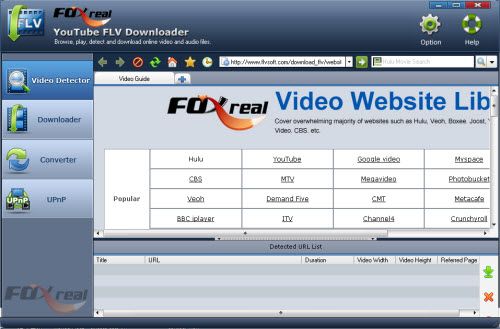
In Video Detector Section, you may find a great Video Website Library. The powerful library function makes it stand out compared with others in marketing. From Foxreal Video Website Library, you can easily browse any popular video-sharing site. More exciting, you can open multiple browsers just like IE, Firefox, Safari, etc., which make it possible to auto-capture several YouTube video URLs for download URLs simultaneously. Also you can arrange your web videos in the “Movie” or “Music” tab of its built-in library in Downloader section. Download histories will be saved automatically. In History, you can easily view all the downloaded FLV/F4V or other web video files in the list. And you can know the file name, file URL and referred page. Then you can start, stop, delete, play and locate the downloaded YouTube video clips.
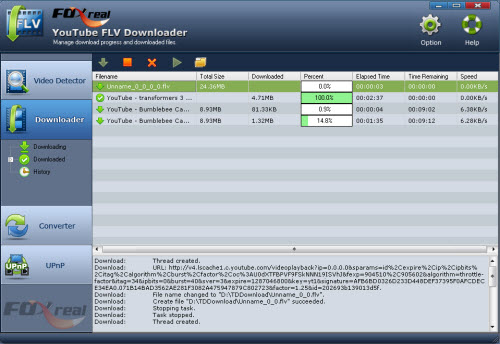
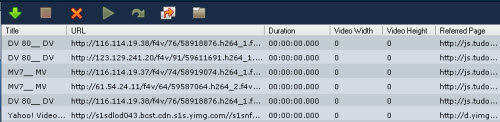
The classic playback window is also the shinning point for the free downloader. You can do many things with it: preview online videos, play YouTube FLV or any other videos offline, adjust the playback process, turn up or turn down the volume, loop the Flash video playback. It is as perfect as a FLV Player.

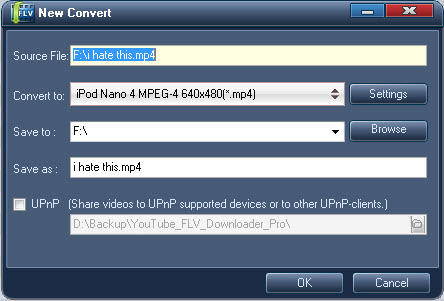
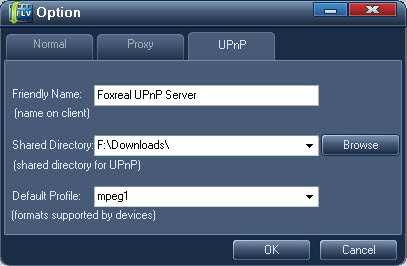
Moreover, you can upgrade the free Internet video Downloader software to Foxreal YouTube FLV Downloader Pro with more powerful functions. The build-in Converter can help you convert YouTube video to MP4, 3GP, WMV, AVI, MPEG, MPG, MOV, VOB and other popular video/audio formats for easily playback on iPad, iPhone 4, iPod Touch 4, Apple TV, Motorola Droid X, Droid 2, Samsung Galaxy S, Xbox 360, PS3, PSP, BlackBerry Torch 9800, BlackBerry PlayBook, etc. Also you are allowed to import other video files from your PC for conversion by using this Converter function. And it supports UPnP connectivity allowing you to watch videos on UPnP supported devices and share videos with other UPnP-clients.
YouTube, as the popular video-sharing web sites, makes full use of HTTP protocol to publish FLV files. Many video-sharing web sites adopt this kind of protocol including Download Google Video, MySpace, iFilm, etc. However, not all web sites use this type of protocol, like Fox, Pandora and more. They use RTMP protocol to release FLV files, which is developed by Adobe and especially designed for FLV publishing. Now the Free YouTube FLV Downloader supports not only HTTP but also RTMP, RTMPT, RTMPE, RTMPTE protocol. This is also the outstanding advantage for most free YouTube FLV download tool in the marketing. You can freely download YouTube FLV regardless of which type of protocol to publish FLV!
With this great YouTube FLV Video Downloader program, you won’t be bothered by the compatibility of different browsers. It can support almost all the popular browsers such as IE, Firefox, Safari, Maxthon and 360SE. No matter which browser, the free YouTube FLV Downloader program will correctly capture FLV movies or music and download them for you.
In brief, if you download this free YouTube FLV Downloader, what you get is more than a FLV download tool but also a player, a manager and a converter.
Tips
- How to Convert FLV to iPhone movies?
- How to Convert Youtube Video FLV to WMV for Playback on your Creative Zen?
- How to Convert FLV to DVD with Pavtubel FLV to Video Converter Pro
- How to Extract Audio from FLV Video to MP3 audio
- Convert Flash Video FLV from YouTube to wmv for Cowon iAudio D2
- How to Convert FLV and Watch in a Smart Phone
- FLV Software tools, free FLV Downloader, free FLV Player, FLV Converter, FLV Encoder
- Play FLV in Windows Media Player
- How to Edit FLV with FLV Converter?
- Motorola Milestone 2 Review - Put 720p Videos on Motorola Milestone 2
